PDF ProX: PDF Reader & Editor
Office Suite ProProductivity
3.3651.00 Reviews
- Version
- 2.0.3-Office
- Installs
- 10.00M
- Age Rating
- Everyone
Screenshots
Our Review of PDF ProX: PDF Reader & Editor
 Analysis by Appyee
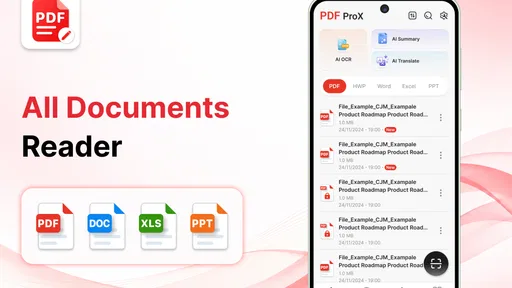
PDF Reader caught my attention for a simple reason: it tries to cover several document jobs in one Android app. Instead of treating a PDF only as something to open, it brings reading, editing, scanning, and conversion into the same productivity workflow. I tested it with the mindset of someone who wants a dependable document tool, not an app that feels impressive for a few minutes and then gets forgotten.
My first impression was practical rather than exciting. The app is free to start, works on Android devices running version 8.0 or newer, and is suitable for an Everyone audience. That makes it easy to try on an older phone or a shared family device. It comes from Office Suite Pro, and its current version is 1.9.2-Office. Those details matter because a document app earns its place through repeated usefulness: opening a file before a meeting, scanning a receipt, checking a form, or making a quick correction while away from a computer.
The bigger question is whether that usefulness survives the first week. Many PDF reader apps are convenient at first but become cluttered, slow, or too dependent on paid tools once the novelty wears off. My experience with this one is more balanced. It has a sensible everyday role, especially for people who handle PDFs on a phone, but it is not automatically the best replacement for a full desktop editor or a lightweight file viewer.
What feels useful during the first week
The strongest early appeal is the combination of tasks. I can imagine installing PDF Reader after receiving a document that needs more than simple viewing. A normal reader is enough for a book or a downloaded manual, but a work form, photographed receipt, or scanned page creates extra steps. Here, the same app is designed to handle those situations, so I do not need to move between a viewer, a scanner, and a separate converter every time a document changes format.
Reading is the foundation, and that part needs to feel uncomplicated. I found the app most convincing when using it as a quick document checkpoint: open a file, inspect the pages, confirm that the text and layout look right, and move on. That sounds ordinary, but it is exactly the kind of task where a phone app should stay out of the way. A PDF tool does not need to turn every opening into a project.
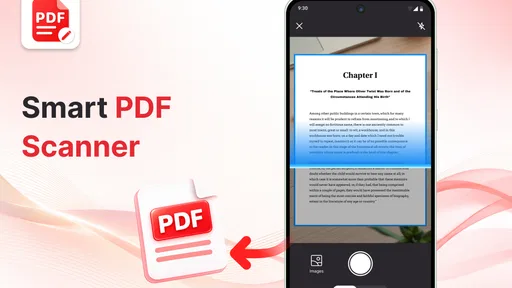
The scan function is more valuable in real life than it may sound in a store summary. Imagine leaving a doctor’s office with a printed instruction sheet, receiving a signed school form, or needing to preserve a paper invoice before it gets lost. A phone-based scan can be the fastest bridge between paper and a digital file. My advice is to use a flat, well-lit surface and review every page before saving. The convenience is real, but a hurried scan can still produce shadows, crooked edges, or unreadable small print.
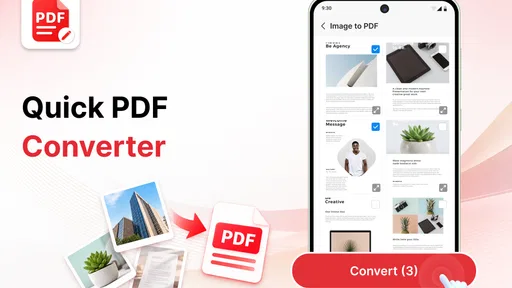
Conversion is another reason to keep the app installed. A PDF is excellent for sharing a finished document, but it is not always pleasant to reuse. When I need to extract content into a more editable format, having conversion tools close to the reader can save time. I would still inspect the result carefully, especially when the source contains tables, columns, unusual fonts, or a scanned image. Conversion is a shortcut, not a guarantee that every visual detail will survive perfectly.
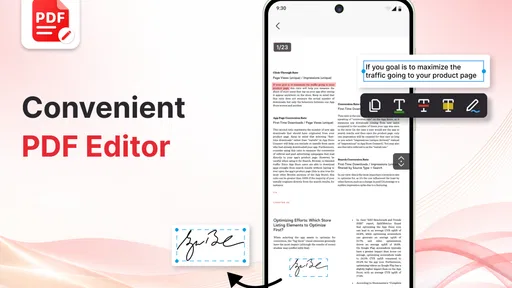
Editing is useful for small corrections and document preparation, but I would not confuse mobile editing with a full office workstation. On a phone, selecting text, placing the cursor, and checking page layout can be fiddly. PDF Reader makes more sense for quick adjustments than for rebuilding a long contract or preparing a complex report from scratch. If I had to make extensive changes, I would prefer a larger screen and a dedicated office editor.
One non-obvious strength is the way these tasks can support a single handoff. I can scan a paper, check the resulting PDF, make a minor adjustment, and convert it for another purpose without immediately exporting the file through several unrelated apps. That reduces the chance of losing track of versions. The trade-off is that an all-in-one app also asks me to learn where each tool lives, so the first few sessions may involve more exploration than a basic viewer.
The app has already reached over ten million installs and holds an average rating of 3.6 from around thirty-five thousand ratings. I read that as a sign of broad interest rather than proof that it will suit everyone. A large audience can confirm that the basic idea is useful, while the middling score suggests that expectations and day-to-day experience may vary. I would install it for a specific document need, then decide whether it deserves a permanent place.
A realistic everyday workflow
Here is the situation where I see the clearest value. I receive a multi-page form by email while travelling. I open it on my phone to check the instructions, scan an attached paper page that belongs with it, and use the editing tools for a small correction before preparing a shareable copy. Rather than waiting for access to a computer, I can keep the process moving from one app.
The important habit is to separate review from sending. After scanning or converting, I would zoom into signatures, dates, totals, and small text. I would also open the finished file again before sharing it. This extra check takes less time than discovering later that a page was cut off or that a conversion changed the order of information. PDF Reader is most helpful when it shortens the workflow without encouraging careless approval.
Whether it keeps earning space after the first month
The first week is about discovery; the second month is about repetition. For me, a productivity app earns lasting space when it solves a recurring problem with little mental effort. PDF Reader can reach that standard for people who regularly receive PDFs, scan paper documents, or need occasional conversions. It is less compelling for someone who only opens a document once every few months and already has a trusted viewer built into the phone.
Its recurring value depends on variety. If I only read PDFs, a simpler reader may feel faster and less distracting. If I frequently move between paper and digital documents, the broader toolkit becomes more worthwhile. The app’s category is productivity, but its real role is closer to a document utility that sits between a file viewer and a mobile office tool.
I also like the possibility of using it as a temporary workbench rather than a permanent document archive. I can bring in a file, perform the necessary action, check the output, and then store the finished version elsewhere. That approach helps keep the app’s purpose clear. It is not necessary to make one application the home for every document just because it can open many formats.
The free price lowers the barrier to testing that routine. However, in-app purchases range from around twenty dollars to around thirty dollars per item, so the decision becomes more significant if a tool I need is placed behind a purchase. I would not pay simply because the app has many buttons. I would pay only after identifying a repeated task that saves me enough time to justify the cost.
This is where the app’s long-term value becomes personal. A student who scans handouts, a freelancer who reviews client PDFs, or a small business owner handling invoices may use the broader toolkit often enough to appreciate it. Someone who reads novels or occasional manuals may find that a basic viewer is cleaner. The best choice depends less on the number of features than on how often those features solve the same problem.
Compared with the usual alternatives, PDF Reader sits in the middle. A built-in phone viewer is often better for instant opening because it is already familiar and has less to configure. A cloud office suite may be stronger for collaboration and continuous editing across devices. A dedicated scanner can offer a more focused capture experience. PDF Reader’s advantage is convenience across several document steps, while its weakness is that it may not match a specialist tool at every individual task.
That trade-off matters when choosing a daily habit. I would use this app when I value having one practical toolbox on my phone. I would choose a dedicated office editor for long writing sessions, a specialist scanner for high-volume paper capture, and a simple reader when I only need to view pages. Keeping those boundaries in mind prevents disappointment and makes the app easier to appreciate.
How to make the routine less tiring
I recommend creating a small personal process instead of opening tools at random. First, read the source document and decide whether it needs scanning, editing, or conversion. Second, perform one operation at a time. Third, inspect the output before moving it to its final destination. This sounds basic, but it avoids the common mistake of repeatedly converting the same file because the desired result was never defined.
For scans, I would capture pages in consistent lighting and keep the camera parallel to the paper. For conversions, I would compare the first and last pages as well as any page with a table or signature. For edits, I would save a clearly named final copy rather than overwriting the original immediately. These habits are not glamorous features, but they are what make a mobile document app reliable over time.
Another useful approach is to treat the phone screen as an inspection tool, not the only place where quality is judged. A document can look acceptable when zoomed in and still be awkward when printed or viewed on a larger display. If the file matters, I would check it on another screen before sending it. PDF Reader helps me prepare the document, but careful review remains my responsibility.
Maintenance, friction, and the reasons fatigue can appear
The maintenance burden is moderate rather than invisible. An all-in-one document app needs enough attention to keep files organized and outputs understandable. If I repeatedly download, scan, convert, and edit without a naming system, the convenience quickly turns into a pile of similarly named copies. I would keep only the working files I need on the phone and move completed documents to a clear folder or storage service.
There is also a mental maintenance cost. A reader with editing, scanning, and conversion tools presents more choices than a plain viewer. When I am in a hurry, extra choices can feel like friction. The app is most comfortable when I already know the action I want. It is less comfortable when I am unsure whether to edit the original, convert it first, or scan a replacement page.
Mobile editing itself can become tiring. Touch controls are adequate for a short correction, but long text selection and precise placement are not as comfortable as using a keyboard and mouse. I would avoid planning a large document overhaul on a phone unless there were no practical alternative. This limitation is not unique to PDF Reader, but it is important because the app’s broad feature set may tempt users to expect desktop-level control.
Scanning can create another source of fatigue when the document is long or visually complicated. Holding a phone steady over many pages is repetitive, and each captured page deserves a quick inspection. For a handful of pages, the convenience is excellent. For a large archive, a dedicated scanner or a more specialized scanning workflow may be less frustrating.
Conversion deserves similar caution. Text-heavy pages usually make more sense as conversion candidates than pages built from images or intricate layouts. If the source is effectively a photograph inside a PDF, the result may require more cleanup than expected. I see the conversion tool as a way to get a usable starting point, not as an excuse to skip proofreading.
Paid features can influence long-term satisfaction as well. Because the app is free to install but includes in-app purchases in the roughly twenty-to-thirty-dollar range per item, I would explore the free experience before building a workflow around a specific advanced action. The sensible test is simple: identify the task, see whether the free version handles it comfortably, and only then consider spending money. That keeps the purchase tied to value rather than curiosity.
The rating of 3.6 also makes me cautious about recommending it blindly. I would not interpret that average as a reason to reject the app, but I would set realistic expectations. A productivity tool can be useful and still frustrate users who wanted a perfect scanner, a complete office suite, or a zero-learning-curve viewer. The app’s broad purpose is its appeal, and broad purpose always comes with compromises.
Who should keep it installed
I would keep PDF Reader on my phone if I regularly deal with mixed document sources. That includes emailed PDFs, photographed paper, forms that need light editing, and files that must be converted before reuse. It is especially practical for people who travel, work away from a desk, or want one familiar place to handle occasional document emergencies.
I would also recommend trying it to students and independent workers who need flexibility more than specialized perfection. A student can inspect course material and preserve paper notes; a freelancer can review a client file and prepare a cleaner copy while away from a computer. The value grows when these tasks happen often enough to become a routine.
I would skip it as a primary tool if my main requirement were collaborative document editing, extensive formatting, or high-volume scanning. In those cases, a dedicated office platform, desktop editor, or scanner-focused app may be a better fit. I would also skip it if I only want the fastest possible way to open a PDF and never touch it again. A simpler viewer can be more pleasant for that narrow purpose.
My long-term verdict on PDF Reader
After the initial appeal fades, PDF Reader remains useful because it addresses a real gap between reading a document and doing something with it. Its combination of viewing, editing, scanning, and conversion gives it a practical place on an Android phone, especially when I need to finish a document task away from a computer.
It does not replace every specialist alternative, and I would not pretend that touch-based editing is ideal for major projects. Scanning still demands care, conversions still need checking, and the in-app purchase range means advanced use should be evaluated rather than assumed. Those limitations become manageable when I use the app for the jobs it handles best.
For me, the lasting test is whether I can reach for it without creating extra work. With a simple naming routine, careful output checks, and realistic expectations about mobile editing, it can earn that place. The free entry point makes trying it reasonable, while the broader tools give frequent PDF users a reason to return.
My recommendation is cautious but positive: install it if your phone regularly becomes a temporary office for PDFs, scans, and quick document changes. Keep a simpler viewer if reading is all you need, and choose a specialist tool when precision, collaboration, or large-scale scanning matters more than convenience. For the right workflow, this productivity app has recurring value; for the wrong one, its extra tools may simply become unused clutter.
Privacy and Permissions
See what permissions an app requests and how it handles your data.
- Photos/Media/Files
- read the contents of your USB storage, modify or delete the contents of your USB storage
- Storage
- read the contents of your USB storage, modify or delete the contents of your USB storage
- Camera
- take pictures and videos
- Wi-Fi connection information
- view Wi-Fi connections
- Other
- view network connections, full network access, control vibration, prevent device from sleeping, Google Play license check
Verdict
Strengths of PDF ProX: PDF Reader & Editor
- Opens PDFs quickly, even when switching between several documents.
- Clear text rendering makes small fonts comfortable to read on mobile screens.
- Supports bookmarks for returning to important pages with fewer taps.
- Useful search tool finds words or phrases throughout lengthy documents.
- Reading layout remains stable when rotating the device or changing screen size.
Limitations of PDF ProX: PDF Reader & Editor
- Some advanced annotation tools may require a premium upgrade.
- Large, image-heavy PDFs can take longer to load on older devices.
- The interface may feel crowded when many toolbar options are enabled.
- Limited file-management features compared with dedicated document managers.
- Battery use can increase during extended reading of graphics-rich documents.
Similar Picks in This Category
View All
Google Calendar
Google LLC4.6

Google Drive
Google LLC4.3

Google Assistant
Google LLC3.9

Microsoft OneDrive
Microsoft Corporation4.6

Samsung Calendar
Samsung Electronics Co., Ltd.4.1

Microsoft OneNote: Save Notes
Microsoft Corporation4.6
Frequently Asked Questions
What is PDF Reader, PDF Viewer used for?
PDF Reader, PDF Viewer is designed for opening, reading, and managing PDF documents on a mobile device. During testing, it was useful for viewing ebooks, forms, receipts, manuals, school files, and work documents without needing a desktop computer. Depending on the version, it may also include tools for searching text, zooming, rotating pages, bookmarking files, and sharing documents with other apps.
Can PDF Reader, PDF Viewer open all types of PDF files?
The app should open most standard PDF documents, including text-based files, scanned pages, presentations, and documents containing images. However, heavily encrypted files, damaged PDFs, password-protected documents, or files using unusual interactive features may not work perfectly. If a document does not open correctly, check that the file is complete and try opening it with another compatible PDF application.
Does PDF Reader, PDF Viewer work offline?
Yes, PDF Reader, PDF Viewer can generally be used offline for documents that are already saved on your phone or tablet. This makes it convenient for reading manuals, travel tickets, study material, or work files without an internet connection. Internet access may still be required for downloading files from cloud services, displaying advertisements, syncing documents, or using online sharing and storage features.
Is PDF Reader, PDF Viewer free to download and use?
The application may be available as a free download, but some features can depend on the version installed and the developer’s business model. Free access may include advertisements, optional purchases, or limitations on advanced tools such as editing, converting, signing, or removing pages. Before downloading, review the store listing carefully so you understand which functions are included without payment.
Is PDF Reader, PDF Viewer safe for private and sensitive documents?
The app can be convenient for reading personal files, but users should still review its permissions and privacy policy before opening sensitive documents. Avoid granting access that is not necessary for basic PDF viewing, and be careful when using cloud, sharing, or online conversion features. For confidential financial, legal, or business files, confirm how documents are stored and transmitted before using those tools.
